

Managing facilities at a private school is unlike managing almost any other type of building. Every decision has the potential to impact student safety, staff productivity, and the overall learning environment.
From classrooms and athletic facilities to auditoriums and administrative offices, school buildings are in constant use.
At the same time, facility teams are expected to keep systems running, respond to maintenance requests, manage vendors, coordinate events, and ensure compliance with a growing list of requirements.
The challenge is simple: there is too much happening to manage effectively with emails, spreadsheets, and paper processes alone.
That’s why more schools are turning to facility management software and computerized maintenance management systems (CMMS) to organize operations, improve communication, and create safer learning environments.
The Reality of Managing School Facilities
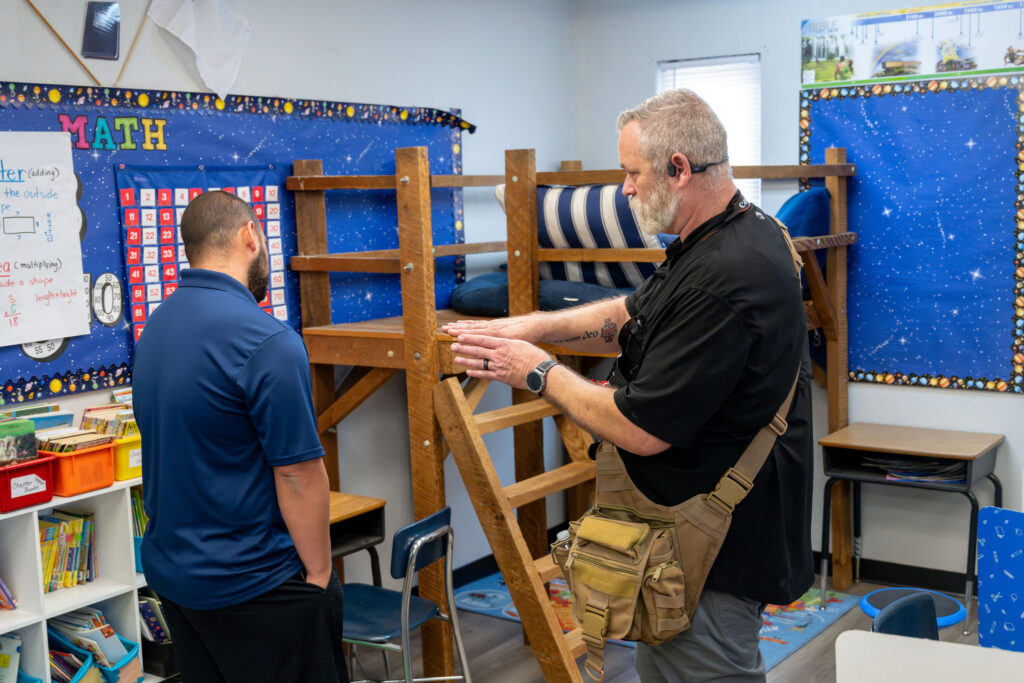
Student safety influences every facility decision a school makes. From repairing a playground, maintaining HVAC systems, addressing water leaks, or ensuring classrooms are properly cleaned, facility teams must constantly balance maintenance needs with the daily demands of an active campus.
However, requests often arrive from every direction.
Teachers need classroom issues resolved.
Administrators need spaces prepared for meetings and events.
Parents report concerns they notice around campus.
Coaches require athletic facilities to be ready for practices and games.
A typical day for a school facility manager can involve responding to maintenance requests, troubleshooting classroom technology issues, preparing spaces for events and activities, coordinating contractors, managing preventive maintenance schedules, and addressing unexpected repairs. With so many competing responsibilities occurring simultaneously, staying organized and keeping operations running smoothly can quickly become challenging without the right systems in place.
Unlike many facilities, schools rarely have true downtime. Buildings often operate from early morning until late evening, leaving very limited opportunities to complete maintenance work without disrupting students and staff.
Why Manual Processes Eventually Break Down
Most school facility teams begin with a combination of emails, spreadsheets, paper work orders, and institutional knowledge.
Eventually, those systems become difficult to manage. As campuses grow, so does the number of:
- Work requests
- Preventive maintenance tasks
- Safety inspections
- Event setups
- Vendor requirements
- Compliance documents
Without a centralized system, requests get lost, priorities become unclear, and communication suffers.
Even highly organized teams eventually reach a point where manual processes can no longer keep up with operational demands.

How CMMS Brings Order to Daily Operations
A computerized maintenance management system provides a centralized platform for managing facility operations.
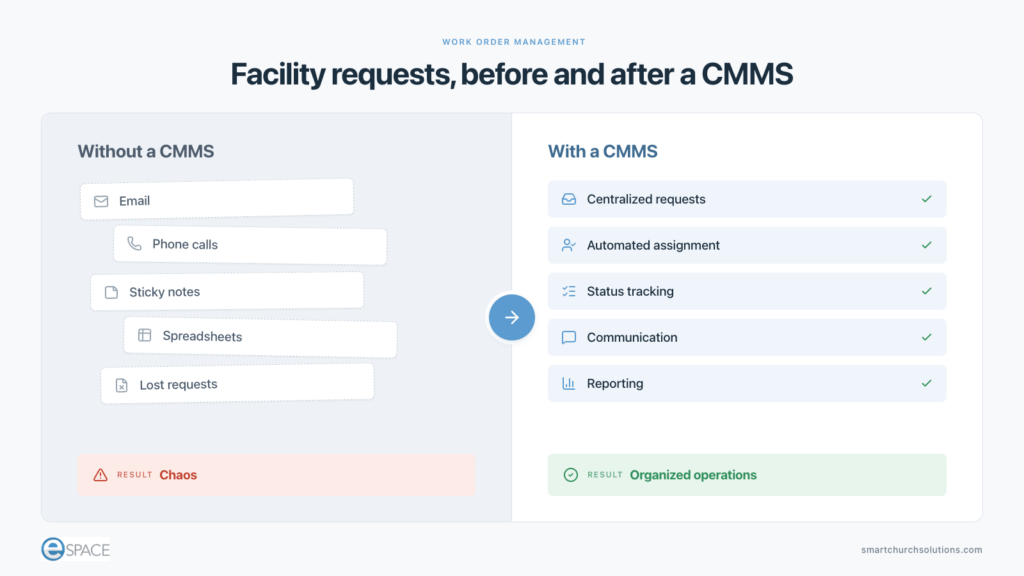
Instead of tracking requests through emails, phone calls, sticky notes, and spreadsheets, everything flows through a single platform. A CMMS helps schools centralize maintenance requests, automatically assign work to the appropriate team members, track progress from submission to completion, prioritize critical issues, maintain detailed historical records, and improve communication among facility teams, administrators, teachers, and other stakeholders. By bringing these functions into a single system, schools can operate more efficiently while ensuring important tasks are completed and documented.
Perhaps most importantly, it allows facility teams to focus on the work that matters most instead of spending time searching for information or following up on status updates. Every request has a documented history, clear ownership, and a visible status. Nothing falls through the cracks.
Why Schools Need Event Scheduling and CMMS Together
One of the biggest challenges in school facility management is that maintenance opportunities are often determined by event schedules.
Classrooms are occupied throughout the day. Athletic facilities host practices and competitions. Auditoriums support performances and assemblies. Community groups may use spaces after hours.
This creates a constant balancing act between facility operations and facility usage.
For example:
- HVAC maintenance cannot disrupt state testing
- Classroom repairs must work around instructional schedules
- Gym floor refinishing requires extended periods without athletics
- Auditorium projects must avoid performance dates
When event scheduling and maintenance management operate separately, conflicts are inevitable.
When they work together, facility teams can identify available maintenance windows, avoid scheduling conflicts, coordinate contractor access, and plan projects with greater confidence. For schools, the combination of event scheduling and CMMS often delivers far greater value than either system alone.
The Summer Break Myth
Many people assume that schools can simply postpone maintenance projects until summer break.
In reality, it’s not that simple.
While major renovations and campus-wide projects often need to occur when students are away, summer rarely provides enough time to complete every deferred maintenance task. Athletic camps, enrichment programs, teacher preparation days, and community events frequently occupy facilities throughout the break. However, many maintenance needs cannot wait until summer.
HVAC systems require ongoing preventive maintenance. Plumbing issues need immediate attention. Classroom repairs, safety concerns, and equipment failures happen throughout the school year and must be addressed promptly.
Successful facility teams find ways to perform maintenance year-round by identifying available windows within the academic calendar. This may include teacher workdays, holiday breaks, evenings, weekends, or periods when specific spaces are not in use.
Facility management software helps schools identify these opportunities, coordinate schedules, and complete work with minimal disruption to learning activities. Rather than treating summer as the solution to every maintenance challenge, schools should view it as one part of a year-round facility management strategy.
5 Essential Features to Look For
Not all facility management software is created equal. The best platform is the one your team will actually use consistently. When evaluating solutions, prioritize these capabilities.
1. Ease of Use
Facility managers spend most of their day moving throughout campus, not sitting behind a desk.
Software should allow users to create work orders, schedule events, and update information quickly without navigating complicated menus.
2. Mobile Accessibility
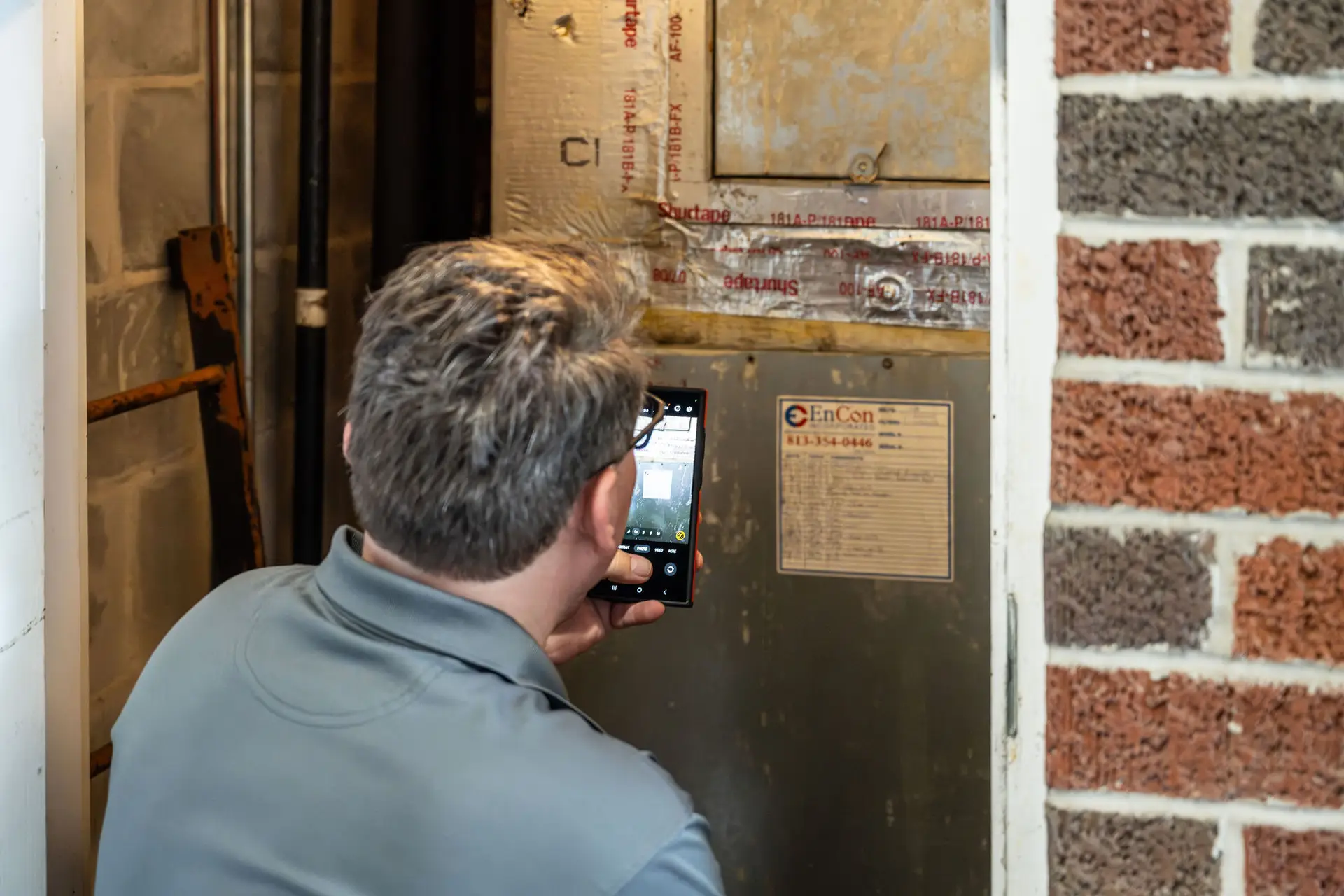
Mobile access is no longer optional for school facility teams. Technicians spend most of their day moving throughout campus, which means they need the ability to create work orders on-site, attach photos, update statuses in real time, access schedules from anywhere, and communicate with team members without returning to the office. A mobile-friendly system improves efficiency, reduces administrative delays, and ensures information is captured accurately while work is being performed.
3. Work Order Tracking and Communication
Every maintenance request should be tracked from the moment it is submitted until the work is completed. Facility teams need visibility into who submitted the request, its current status, who is responsible for completing it, expected completion timelines, and the final resolution. This level of transparency improves accountability, reduces confusion, and helps ensure that important issues are addressed promptly while keeping requestors informed throughout the process.
4. Scheduling and Coordination
Schools operate on multiple overlapping schedules, making coordination a constant challenge for facility teams. Effective facility management software should help organize academic calendars, athletic schedules, events and performances, preventive maintenance activities, contractor access, and custodial operations within a single system.
By providing visibility across all of these moving parts, schools can identify maintenance opportunities, avoid scheduling conflicts, and complete necessary work with minimal disruption to students, staff, and campus activities.
5. Vendor and Compliance Management
Schools are responsible for maintaining a wide range of documentation for contractors and service providers, including background checks, certificates of insurance, professional licenses, safety certifications, and emergency contact information. Keeping these records organized is essential for maintaining compliance, reducing liability, and ensuring vendors meet school requirements before working on campus. A strong facility management platform helps centralize this information, track expiration dates, automate renewal reminders, and provide quick access to documentation whenever it is needed.
Managing Contractors and Compliance
Vendor management is particularly important in educational environments.
Schools are responsible for ensuring contractors meet security and compliance requirements before working on campus.
Manually tracking documentation can quickly become overwhelming, especially when multiple vendors are involved. Facility management software provides a centralized location for storing documentation, tracking renewals, and maintaining an audit trail. This improves accountability while reducing administrative burden.
Beyond background checks, schools often need to manage certificates of insurance, trade licenses, safety training records, and other compliance-related documents. Having all of this information in one place helps reduce risk and ensures documentation is available when needed.
The Cost of Operating Without Software
The consequences of outdated processes extend beyond inefficiency. Without proper systems in place, schools often experience:
- Lost work requests
- Delayed maintenance
- Incomplete documentation
- Missed inspections
- Inefficient use of staff time
- Increased liability exposure
Ultimately, these challenges affect students. When facility issues go unresolved, learning environments suffer. Equipment failures create disruptions. Safety concerns take longer to address.
Facility management software is not simply an operational tool. It helps schools provide safer, more reliable environments for students and staff.
Getting Started
Implementing facility management software doesn’t have to be overwhelming. Start by identifying your biggest operational challenges:
- Work order management
- Event scheduling
- Preventive maintenance
- Vendor tracking
- Compliance documentation
From there, evaluate solutions that align with your school’s needs and operational goals. Focus on ease of use, mobile accessibility, integration capabilities, and long-term scalability. Many schools find success by starting with core functionality and expanding usage as teams become comfortable with the platform.
Building Safer and More Efficient School Facilities
School facility teams are responsible for far more than maintaining buildings. They help create safe, healthy, and productive environments where students can learn and thrive.
As schools grow more complex, managing work orders, preventive maintenance, events, vendors, and compliance requirements through spreadsheets and email becomes increasingly difficult. Facility management software brings these responsibilities into a single system, helping teams stay organized, communicate effectively, and make better decisions.
The goal isn’t simply to adopt new technology. It’s to create a safer campus, reduce operational chaos, and give facility teams the tools they need to support the mission of the school every day.